
adversiment
Americans check their phones about 96 times per day on average. This habit changes how we focus and work. It’s why online distractions are a big problem for students, remote workers, and parents.
This article talks about how online distractions affect our attention, thinking, and productivity. We’ll look at the science behind focus, the mental health costs, and how distractions harm learning and memory.
You’ll get tips on managing screen time and tools to cut down on distractions. We’ll discuss workplace challenges for remote teams, the impact of notifications and smartphones, and strategies to improve focus.
The article is divided into nine parts. We’ll cover understanding online distractions, the science of attention, mental health effects, and cognitive impacts. We’ll also talk about learning consequences, work environment issues, technology’s role, and strategies to reduce distractions.
The tone is friendly and practical. It’s for U.S. readers looking for ways to limit online distractions and boost focus in their daily lives.
Understanding Online Distractions
Online distractions are anything digital that takes your focus away from what you need to do. They can be as simple as a pop-up or as complex as a daily habit of browsing. Knowing the difference between a quick break and a constant habit is key to dealing with online distractions.
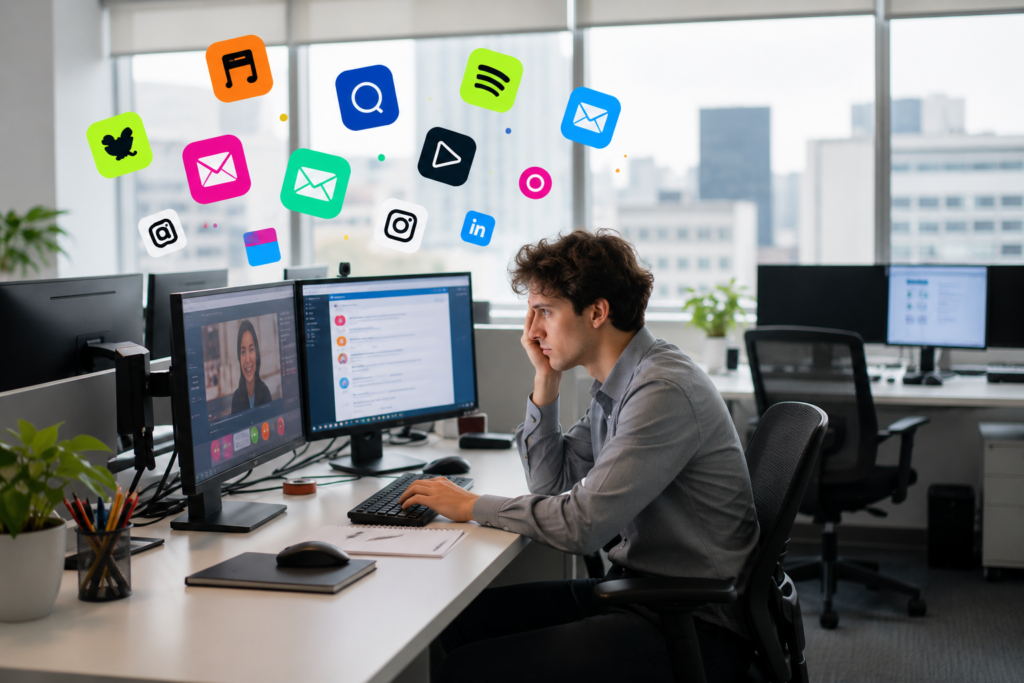
What are digital interruptions? They include things like push notifications, videos that start playing automatically, news feeds, badges, and loops that make you keep checking. A single notification is just a brief pause. But checking over and over again changes how you pay attention and makes your brain work harder.
Common sources are well-known platforms and tools. Sites like Facebook, Instagram, Twitter, and TikTok use notifications and endless feeds. Messaging apps like WhatsApp, iMessage, and Slack have badges and alerts. Email, news sites, YouTube, and streaming services like Netflix add autoplay and recommended content. Browser tabs and site-based push alerts are also common triggers.
Behavioral patterns form around these triggers. People often check their feeds while working. This behavior, along with fear of missing out (FOMO), makes it hard to stay focused. These actions make it harder to concentrate and work well.
The role of social media is to keep users engaged. Features like algorithmic feeds, variable reward loops for likes and comments, infinite scroll, and push notifications encourage quick rewards. Studies show these features reduce focus and lead to more interruptions. This design focus on engagement affects our ability to concentrate, be productive, and stay emotionally balanced.
Understanding the sources and patterns of online distractions helps us see why we need to tackle them. Using technical controls or changing our habits can help. By limiting notifications or creating new routines, we can reduce distractions and improve our daily lives.
The Science Behind Attention
Attention isn’t just one thing. It’s a group of systems that help us focus. Knowing how these systems work helps us understand why distractions are so hard to handle.
How Attention Works
Selective attention lets us choose what to pay attention to. Sustained attention keeps us focused over time. Executive attention helps us manage distractions and plan our actions.
Our brains can only handle so much at once. Switching tasks costs us mental energy. This shows up as slower responses and more mistakes.
Brain Regions Involved in Focus
The prefrontal cortex is key for planning and staying focused. The anterior cingulate cortex watches for errors and helps us focus when needed.
The parietal cortex helps with spatial attention. Dopamine circuits in the basal ganglia and midbrain drive our interest in rewards, like checking apps.
Studies show that constant distractions activate reward pathways. This makes us quickly switch tasks and lose focus on important work.
The Impact of Multitasking on Cognition
“Multitasking” means switching tasks fast, often with digital distractions. Research shows this costs us time, increases mistakes, and makes tasks harder to finish.
Trying to do many things at once hurts our working memory and executive skills. Over time, distractions can change how our brains work, making shallow thinking the norm.
This understanding shows why distractions affect us in real ways. It proves that fighting digital distractions needs more than just willpower. It requires changes in how we use technology and our environment.
Effects on Mental Health
The constant flow of notifications and open tabs changes how we feel and react. Studies show that constant digital interruptions can lead to higher stress and anxiety. Using screens at night can disrupt sleep, causing mood swings and making it harder to recover from daily stress.
Anxiety and Stress from Distractions
Notifications make us constantly divided in our attention. This state makes it hard to focus and can increase stress hormones. Research links heavy social media use to higher anxiety symptoms.
Many people feel a constant low-level tension in their daily lives. This tension affects how we interact and perform tasks.
Impacts on Mindfulness and Presence
Interruptions make it hard to stay present in conversations, work, and leisure. This loss can lower satisfaction in relationships and make learning less effective. Using technology mindfully, like silencing notifications, can improve well-being.
Emotional regulation suffers when we’re constantly interrupted. People become more irritable and less patient. This harms teamwork and family interactions.
Adolescents and young adults are more vulnerable. Pediatric guidelines and public health discussions highlight the risks of heavy screen use for mood and anxiety problems in the young.
Practical steps to control digital distractions and manage screen time can reduce stress and improve sleep. Simple changes, like scheduled check-ins and device limits at bedtime, can help regulate emotions and improve presence in meaningful moments.
Cognitive Effects of Online Distractions
Short breaks from emails, social media, or chat apps do more than just waste time. They change how we think, learn, and solve problems. We’ll explore the main effects and give examples of why cutting down on online distractions is key for work and study.
Decreased Productivity
Switching between tasks costs time. Studies show it can take 15–25 minutes to get back to focus after an interruption. In an office, this can add up: a 10-minute break can turn into nearly half an hour of lost time.
Remote workers face similar issues. Notifications, video calls, and household distractions can all get in the way. To reduce distractions, try setting focus blocks, silencing alerts, and checking emails in batches.
Impaired Memory Retention
Split attention leads to shallow processing. This weakens memory, causing facts and concepts to fade faster. Research shows multitasking study sessions lead to lower recall accuracy.
Students with constant digital distractions often retain less. Focused study sessions and a distraction-free browser can help. These tips aim to protect deep encoding and improve long-term recall.
Difficulty in Problem-Solving
Complex problem-solving needs to hold multiple ideas in memory. Fragmented attention reduces this capacity, hurting analytical and creative skills. Studies show reasoning declines with repeated distractions.
Tasks like writing reports, coding, or studying exams benefit from uninterrupted work. Simple routines that focus on one task at a time encourage deeper thinking and better solutions.
Cumulative Effects and Practical Examples
Chronic distraction can slow skill mastery and learning. Over time, small losses in focus can lower performance. For example, a developer who switches between Slack and an IDE will fix bugs slower than a peer who focuses without interruptions.
Practical examples: writing a report in focused blocks leads to clearer arguments; studying for a biology exam without distractions improves recall; coding with deep focus intervals results in fewer errors.
| Task | Interrupted Workflow | Uninterrupted Workflow | Suggested Action |
|---|---|---|---|
| Writing a report | Frequent email checks, 3+ context switches/hour, long refocus time | Consecutive 60–90 minute blocks, smoother structure, fewer edits | Use focus blocks, mute notifications, schedule email times |
| Studying for exams | Multitasking with social media, lower recall, repeated review needed | Single-task study sessions, stronger encoding, higher test scores | Apply Pomodoro cycles, use site blockers, create a quiet workspace |
| Software development | Frequent chat interruptions, more bugs, slower completion | Deep-focus sprints, faster debugging, higher-quality code | Schedule pair-review times, set “do not disturb,” batch messages |
Balance immediate needs with deep work to reduce distractions and support steady progress. Start with one change, like a daily focus block, and track your progress. Small steps in reducing distractions online lead to big gains in output and learning.
The Relationship Between Distractions and Learning
Online distractions change how students learn. Research shows that multitasking with devices during lectures or study lowers grades. It also reduces comprehension and weakens long-term retention.
Studies comparing laptop note-taking to handwriting find that taking notes by hand often produces better recall. It also improves conceptual understanding.
Remote learning brings unique distraction sources. Multiple tabs, chat windows, and streaming services create more interruption points than a traditional classroom. Success online depends on self-regulation and habits that guard attention span and online distractions.
Distraction Impacts on Academic Performance
Background media harms learning outcomes when students split attention between study material and other content. In-class laptop use can lead peers to lose focus through peripheral browsing. These divided moments accumulate and lower test scores and course performance.
Frequent task-switching shortens sustained study times. Short focus bursts feel productive, but they damage deep processing. That erosion appears as poorer memory retention and weaker problem-solving over time.
Strategies for Maintaining Focus During Learning
Use the Pomodoro technique for structured focus intervals and regular breaks. Turn off notifications and place phones in another room to reduce temptation. Apps such as Cold Turkey and Freedom block distracting sites and help maintain flow.
Adopt active learning: self-testing, spaced repetition, and deliberate practice strengthen learning even when small lapses occur. Create a study routine with clear cues, minimize open tabs, and use full-screen reading modes to lower visual noise.
Students can use study playlists or white noise to mask background distractions. Educators should set device-free segments, explain expectations, and design interactive tasks. This encourages participation and reduces passive multitasking.
Work Environment and Online Distractions
Working from home can make it hard to separate work from personal life. This mix-up leads to more distractions from home alerts, family texts, and social media. It also includes devices used for both work and fun.
Remote Work Challenges
It’s easy to get sidetracked by messages or smart speaker alerts. These small distractions can add up and split your focus. People working from home often switch tasks more because they use the same devices for work and play.
Creating a dedicated workspace helps. Have a specific desk or area, set work hours, and let family know when you need quiet. These steps help manage screen time and cut down on interruptions.
Managing Digital Interruptions
Tools like Slack and Microsoft Teams have do-not-disturb modes for deep work. Set times for checking emails and show when you’re focused. This helps keep your attention on task.
Leaders should focus and set team norms for async communication. Using tools like Asana or Trello cuts down on unnecessary meetings. Teams with clear rules work better and have fewer surprises.
Use tools like RescueTime or Toggl to track distractions. Seeing where you waste time helps you cut down on notifications. Small changes in your routine can make a big difference in productivity.
Here’s a simple list to start:
- Check emails only twice a day.
- Use status messages to keep your focus.
- Make time for tasks without interruptions.
Start with one change a week and see how it goes. Over time, you and your team will get better at staying focused and working smoothly.
The Role of Technology in Distraction
Technology changes how we focus. Apps and devices are designed to keep us engaged briefly. This affects our attention and how we handle distractions online.
Notifications and Their Effects
Notifications like alerts and badges aim to catch our eye. They make us feel good when we check them. This can even raise our heart rate quickly.
These notifications can interrupt our work and increase stress. They make us switch tasks often, which lowers our productivity. Even simple alerts can distract us from focusing.
It’s smart to sort alerts into three categories. Urgent alerts, like emergency calls, need immediate action. Important alerts, like reminders, can be filtered. Nonessential alerts, like likes, should be turned off or checked in batches.
The Impact of Smartphone Usage
People in the U.S. spend a lot of time on their phones. They often check their phones many times a day. This takes away from time for deep thinking.
Just having a phone nearby can lower our focus. The chance of being interrupted makes it hard to stay on one task for long.
Designs that keep us engaged, like infinite scroll, are common. These features are made to keep us online longer. Advertisers benefit from our attention, leading to designs that encourage frequent checks.
Tools like iOS Screen Time and Android Digital Wellbeing can help. They offer features to reduce phone use and distractions. Use these tools to limit unnecessary alerts and set times for deep work.
Here’s a simple plan: let only urgent alerts through during focus times. Group important notifications and turn off nonessential ones. Small steps can make a big difference in managing distractions over time.
Strategies to Mitigate Online Distractions
Online distractions can waste your time and focus if you don’t manage them. Use time management, behavior changes, and technology to reduce interruptions. Here are some effective methods and tools to help you stay focused online.
Time Management Techniques
Try the Pomodoro technique with 25/5 intervals or adjust to 50/10 for longer work sessions. Short sprints help keep your energy up and reduce switching between tasks.
Time-blocking on a calendar helps you focus. Set aside specific times for emails and meetings, and protect your deep-work blocks. Task batching groups similar tasks together to keep your brain focused.
Use the two-minute rule for quick tasks: do them immediately if they take less than two minutes. This prevents small tasks from breaking your concentration. These tips help you stay focused online.
Tools and Apps for Focus
Choose tools and apps that help you stay on track. Freedom and Cold Turkey block distracting websites and apps. Forest rewards you for staying off your phone by growing a virtual tree.
RescueTime shows you how you spend your time, helping you spot distractions. Focus@Will offers music that boosts your concentration. Use built-in features like iOS Focus and Android Do Not Disturb to silence notifications during work.
Browser extensions like StayFocusd and LeechBlock limit distracting websites. Create separate browser profiles for work and personal use. Turn off browser notifications to avoid distractions.
Combine environmental changes like leaving your phone in another room with start and stop routines. Set clear goals for each session and have an accountability partner for motivation. These steps work well with tools and apps for focus.
Below is a quick comparison to help pick the right approach for your needs.
| Tool or Technique | Primary Benefit | Best Use Case |
|---|---|---|
| Pomodoro (25/5) | Maintains short focus bursts | Writing, coding, study sessions |
| Time-blocking (Calendar) | Creates protected deep-work slots | Project planning, long tasks |
| Freedom / Cold Turkey | Device-wide blocking | When you need strict limits |
| Forest | Gamified phone-away incentive | Habit building, phone reduction |
| RescueTime | Activity tracking and insights | Identify time sinks and patterns |
| StayFocusd / LeechBlock | Browser-level site blocking | Blocking social or news sites |
| iOS Focus / Android DND | Native notification control | Quickly silence interruptions |
Try a daily routine that includes morning planning, Pomodoro sessions, a mid-day review, and evening reflection. Combining these strategies gives the best results for staying focused online.
Conclusion: Taking Control of Focus
Online distractions come from many places: social feeds, notifications, and switching tasks too often. These distractions affect how our brains work and can increase stress and lower memory. But, there are steps we can take to fight back.
The Importance of Mindful Technology Use
Use your devices with purpose and values in mind. Set goals that align with your personal and work life. Regularly check which apps and alerts help you meet those goals. By controlling digital distractions, you can work better and feel less anxious.
Creating a Distraction-Free Environment
Start with simple steps: turn on Focus or Do Not Disturb modes, set work times, clean your desk, and block distracting sites or apps. Try Pomodoro sessions or check emails at set times. Find what works best for you.
Changing habits takes time, but our brains can adapt. With effort, you’ll see improvements: better productivity, stronger memory, less stress, and deeper connections. Start with one strategy this week, like Focus mode or Pomodoro, and see how it goes.