
adversiment
Americans now spend over 7 hours daily staring at screens. This number goes up when work and fun mix. Excessive screen time leads to lower productivity, higher health costs, and less family time.
This article helps you identify bad screen habits and gives simple fixes. We talk about physical issues like eye strain and posture. We also cover mental effects like anxiety and depression.
Recent surveys show more people using smartphones, tablets, TVs, and computers. This is due to more remote work and mobile use. So, more people need to manage their screen time, whether they’re parents, remote workers, or teens.
Keep reading for clear explanations, health effects, and age-based tips. We also share tools to track screen time and steps to change habits. The aim is to make small, achievable changes. Things like taking breaks, improving your setup, and using apps can greatly help.
Understanding Unhealthy Screen Habits
Many people use screens for work, school, and staying in touch. Not every hour spent online is harmful. Patterns matter more than raw minutes. This section breaks down what makes screen use unhealthy, how excessive screen time shapes thinking and relationships, and common myths that hide real risks.
What Constitutes Unhealthy Screen Usage?
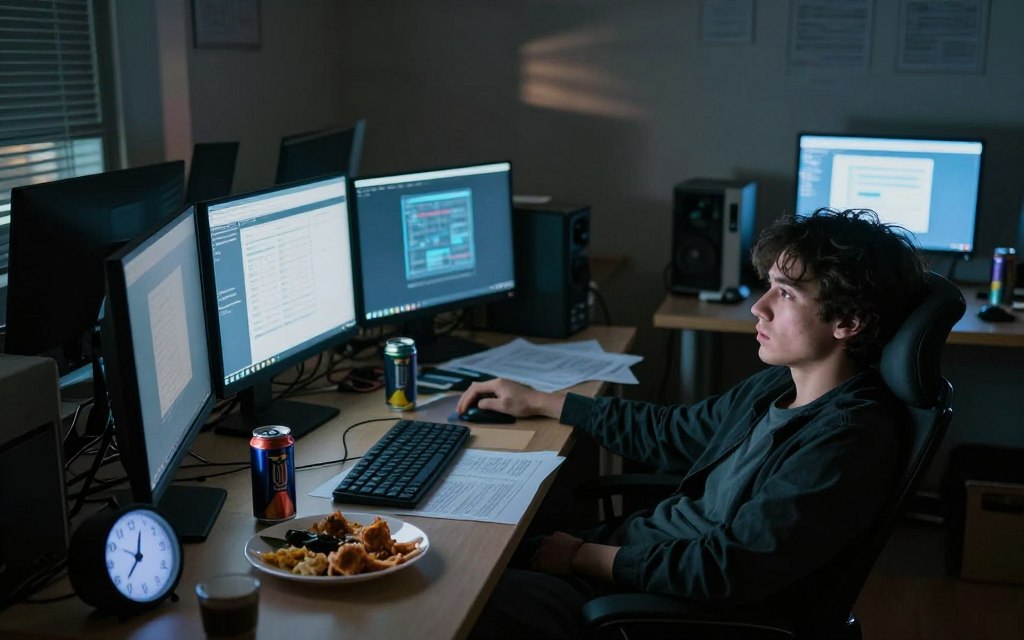
Unhealthy screen habits include constant checking, doomscrolling through news feeds, and online multitasking that fragments attention. Using devices to avoid feelings or to skip chores fits this profile. The intensity of use matters when hours per day push beyond recommended limits and start to interfere with life.
Necessary use, such as Zoom meetings or homework, differs from compulsive use. The line is crossed when screens disrupt sleep, work, or relationships. Patterns that reduce control point toward screen addiction rather than simple high usage.
The Impact of Excessive Screen Time
Excessive screen time shows up as shorter attention spans and weaker memory consolidation after learning. Teens with high leisure screen use often report lower well-being and worse school outcomes in multiple studies.
Social ties can fray when screens replace in-person talk. Productivity dips when people switch tasks frequently between apps and tabs. Sleep loss follows late-night scrolling, not only from blue light but from mental arousal and disrupted routines.
Common Misconceptions About Screen Time
Screens are not all bad. Content quality and context change the effect a lot. Educational videos and meaningful calls can be beneficial, while endless feeds can be harmful.
Blue light is only one factor in sleep problems. Timing, emotional stimulation, and device notifications play major roles. Thinking that any “educational” use cancels out harm is misleading; low-quality content and prolonged sessions still carry screen time effects.
Design choices on platforms encourage repeat visits. Features like infinite scroll and frequent notifications are built to capture attention. Major apps and social platforms use persuasive design that can foster addictive patterns without naming a single company.
Measuring usage can be tricky. Self-reported hours usually undercount real exposure. Device tools such as iOS Screen Time and Android Digital Wellbeing give more accurate tracking and help reveal true habits.
Effects on Physical Health
Screens are a big part of our lives, but they can affect our bodies. This section talks about common physical problems from too much screen time. It also offers simple steps to help right away.
Eye Strain and Vision Issues
Many people get dry eyes, blurred vision, headaches, and trouble focusing. These are signs of digital eye strain, or computer vision syndrome. It’s caused by staring at screens for too long, not blinking enough, small text, glare, and being too close to the screen.
Blue light from screens can mess with our sleep by lowering melatonin levels. While it’s not directly harmful to our eyes, it can affect our sleep. To ease eye strain, try the 20-20-20 rule: look at something 20 feet away for 20 seconds every 20 minutes.
Other ways to help include blinking exercises, bigger text, anti-glare screens, and adjusting display settings. These steps can make long screen sessions more comfortable.
Sedentary Lifestyle Consequences
Sitting for long periods can increase heart disease risk, weight gain, and metabolic problems. It can also lead to neck, shoulder, and back pain from bad posture.
Screen time can replace physical activity. To fight this, use a standing desk, take short walks, and include exercise in your day. Moving every 30 to 60 minutes can lower health risks from too much screen time.
Sleep Disruptions Linked to Screens
Using devices in the evening makes it hard to fall asleep and lowers sleep quality. Blue light exposure delays sleep by affecting melatonin levels. Emotional and cognitive arousal from social media or work emails also makes it harder to relax.
Poor sleep can reduce REM sleep and make you feel tired during the day. Long-term effects include bad mood and a weakened immune system. Try to avoid screens 60–90 minutes before bed and establish a bedtime routine to protect your sleep.
Night mode or blue-light filters can help, but they’re not a complete solution. The best way to protect your sleep is through consistent routines and less evening stimulation.
Mental Health Implications
Screen use has grown beyond just eye strain and sleep loss. It now affects our mental health. Studies show that too much device use can lead to more anxiety and depression in teens and young adults. This link is complex, as heavy use can both show and worsen existing distress.
Anxiety and depression correlation
Large surveys found that teens who spend hours on social media often feel more anxious and depressed. Passive scrolling, late-night browsing, and constant exposure to negative content can increase stress. While screens can’t be blamed for all mental health issues, they can make problems worse.
Interactive, meaningful screen use, like using therapy apps, can have positive effects. It’s important to understand that not all screen time is bad.
Effects of social media on mental well-being
Social media platforms use likes, follower counts, and notifications to keep us hooked. These rewards can lead to short-lived happiness followed by sadness. Constantly comparing ourselves to others and fearing we’re missing out can harm our self-esteem.
Cyberbullying and shocking content can also increase stress and cause panic or withdrawal. The rise in youth mental health issues over the last decade mirrors the growth of social media, with alarming news and polarizing posts playing a big role.
The importance of digital detox
Digital detox means taking a break from nonessential screen use. Short breaks can reduce stress, improve mood, and help us focus better. Start with small goals and tell your loved ones about your plan.
Replace screen time with activities like walking, reading, or exercise. Gradually increase the length of your detoxes to build lasting habits and fight excessive screen time.
Practical steps can help manage screen addiction and reduce its negative effects. Track when you use screens automatically, create device-free zones, and choose active, social activities over passive browsing. Small changes can make a big difference in staying mentally strong in today’s digital world.
Screen Time Recommendations
Setting clear rules helps people break bad screen habits and start better routines. It’s good for families and adults to manage screen time better. This way, we can focus on what’s most important.
Guidelines for Children and Teens
The American Academy of Pediatrics says no screens for kids under 18–24 months, except for video calls. For kids 2–5, limit screen time to about one hour a day of good shows. Watching with them can make it educational.
For older kids, set limits and keep bedrooms screen-free. This helps protect their sleep. Parents who watch and talk about shows help kids learn and avoid bad habits.
Recommended Limits for Adults
Adults don’t have one rule, but setting limits is helpful. Try to keep screen time outside work to about two hours a day. It’s better to focus on the quality of time spent on screens.
Make rules for work devices, like turning them off at the end of the day. Also, make time for real-life socializing and exercise. This helps manage screen time and stay productive.
Importance of Breaks and Screen-Free Time
Short breaks help us focus. Take 5–10 minute breaks every hour. Try the 20-20-20 rule for your eyes. Also, plan longer screen-free times like during meals and before bed.
Having breaks improves sleep, strengthens relationships, and helps avoid bad screen habits. It’s good for our well-being in the long run.
| Group | Practical Limit | Key Practices |
|---|---|---|
| Children 0–18 months | None, except video chat | Prioritize face-to-face interaction and developmental play |
| Children 2–5 years | About 1 hour/day of high-quality content | Co-view, choose educational programs, avoid background screen noise |
| Children 6+ / Teens | Consistent limits, family rules | Screen-free bedrooms, sleep-friendly routines, co-view when helpful |
| Adults | ~2 hours/day recreational outside work | Set work cutoffs, prioritize social and physical activities |
| All ages | Microbreaks hourly; 20-20-20 rule | Meals and one hour before bed screen-free; aim for regular longer breaks |
Identifying Your Screen Time Patterns
To change your habits, you first need to understand them. Start by observing your screen use for a week. This will help you manage your screen time better and break bad habits.
Using automated logs is more accurate than relying on memory. These logs show how much time you spend on apps, how long you use them, and when. Adding notes about why you used your device can help you see patterns, like using it too much at night or during meals.
Tracking Screen Usage Effectively
Tracking your screen time objectively gives you a clearer picture than just guessing. Use built-in tools to get raw data, and add notes to understand the reasons behind your use. This way, you can spot patterns and times when you use your device the most.
Tools and Apps for Monitoring Time
Choose tools that fit your devices and your comfort with privacy. iOS and Android have built-in tools for tracking and setting limits. Apps like RescueTime, Moment, and Forest help you stay focused and mindful.
Browser extensions like StayFocusd block distracting sites. Freedom blocks sites on all your devices and syncs with your schedule. Use these tools to understand your habits better and manage your screen time.
| Tool | Key Features | Best For |
|---|---|---|
| iOS Screen Time | App-category breakdown, daily limits, family controls, scheduled downtime | iPhone and iPad users who want native integration |
| Android Digital Wellbeing | Dashboard, focus mode, wind-down, app timers | Android users seeking built-in tracking |
| RescueTime | Automatic activity logging, productivity reports, alerts | People who want detailed cross-platform analytics |
| Moment | Daily limits, coaching, family tracking options | Users who prefer a guided approach to reduce use |
| Forest | Focus timer with gamified rewards, visual progress | Those who respond well to game mechanics for focus |
| StayFocusd | Site-blocking extension, daily allowed time, strict mode | People who work in browsers and need site control |
| Freedom | Cross-device blocking, scheduled sessions, locked mode | Users who want broad device control and sync |
Recognizing Emotional Triggers for Use
Often, we use screens because of how we feel. Boredom, loneliness, anxiety, and stress can make us scroll without thinking. Notifications or having your phone nearby can make it hard to resist checking it.
Try journaling to find out what makes you reach for your device. Ask yourself, “What was I feeling right before I opened this app?” or “How long did I plan to use my device?” Write down your answers for a week to see patterns.
When you feel a trigger, do something else instead. Take a short walk, breathe deeply, call a friend, or put your phone away. These small changes can help you manage your screen time better over time.
Creating a Healthier Screen Environment
Making small changes in your workspace and family routine can help. Focus on posture, lighting, and clear rules for screen time. This makes screens less stressful for your eyes and mind.
Ergonomics and setup adjustments
Place desktop and laptop screens at eye level or slightly below. Keep them 20–28 inches from your face. Use an external keyboard and mouse with laptops to ensure the screen is at the right height.
Choose a supportive chair with lumbar support. Alternate between sitting and standing every 30–60 minutes. For phones and tablets, hold them at eye level to avoid neck strain. Turn devices to landscape mode for documents and spreadsheets.
Harnessing the right lighting
Use ambient, indirect lighting to reduce glare. Place monitors perpendicular to windows to avoid reflections. Match monitor brightness and color temperature to room light for comfort.
Adjustable brightness and warmer color tones in the evening can ease blue light exposure. Enable blue-light filters or night mode for late-night use. This helps lessen circadian disruption. But remember, filters don’t replace avoiding stimulating content before bed.
Implementing family screen time rules
Set practical, consistent rules for everyone. Create device-free zones like dining areas and bedrooms. Use shared charging stations outside bedrooms overnight.
Schedule regular tech-free hours for family meals or evening wind-downs. Co-view with younger kids and model healthy behavior as parents. Use clear consequences and small rewards to enforce the plan. Revisit rules as children grow. These steps support eye strain relief and help break unhealthy screen habits across the household.
Alternatives to Screen Time
Changing a habit starts with small steps and a plan. Try a gentle digital detox by setting aside phone-free hours each week. This cuts down on screen time and lets your brain rest and refocus.
Engaging in Outdoor Activities
Being outside boosts your mood, sharpens your focus, and gets you moving. Take walks around your neighborhood, bike on local trails, or hike in nearby parks. These activities are easy to start and offer a great way to enjoy nature.
Try joining community sports or gardening to add more movement to your life. Look for outdoor volunteer days to serve while enjoying fresh air. Make a 30- to 60-minute outdoor time slot each week to make it a regular part of your routine.
Exploring Hobbies Outside of Screens
Hobbies that don’t involve screens can make you feel fully engaged. Read real books, cook new dishes, or try arts and crafts to keep your hands and mind busy.
Simple hobbies include learning to play an instrument, doing DIY projects, or using a non-smartphone camera for photography. Community classes at libraries or parks and recreation centers are great places to meet others and learn new skills.
Socializing without Digital Distractions
Phone-free gatherings can make conversations deeper and more meaningful. Host a game night, plan coffee meetups where phones are put away, or agree to keep devices off during meals.
Joining Meetup groups or volunteering locally can help you practice socializing without screens. Setting clear rules about phone use can strengthen friendships and improve communication.
Strategies to Reduce Screen Dependency
It’s tough to cut back at first. But, taking small steps can make it easier. Use goals, get support, and use smart tools to break screen addiction habits.
Setting Daily Limits and Goals
Make SMART goals: Specific, Measurable, Achievable, Relevant, Time-bound. For example, limit social apps to 45 minutes daily. No screens during meals or use 30-minute focus blocks for work. Track your minutes and review weekly.
Begin with small cuts and increase them slowly. This method helps avoid relapse and builds confidence. Write your goals somewhere you can see them. Adjust them if they’re too hard or too easy.
Finding Support from Friends and Family
Talk to a partner or friend about your goals and ask them to check in. Create a small challenge group to share progress and celebrate wins. Use shared calendars for screen-free activities like walks or game nights.
Having support makes it easier to stay on track. Seeing others adopt better habits can motivate you. Be encouraging, not critical, to keep the momentum going.
Utilizing Apps to Curb Usage
Find apps that fit your needs. Forest rewards focus by growing virtual trees when you stay off your phone. Freedom blocks distracting sites across devices. StayFocusd limits time in specific browser tabs. Built-in Screen Time on iPhone and Digital Wellbeing on Android schedule downtime and set app limits.
Use blocking apps with positive activities like reading or short workouts. Turn off nonessential notifications and set app timers that require a deliberate override to continue use. These strategies reduce temptation and help manage screen time better.
| Strategy | Example Goal | Tool or Method | Benefit |
|---|---|---|---|
| Daily limits | 45 minutes of social media per day | Screen Time / Digital Wellbeing | Clear boundary, measurable progress |
| Focus blocks | Three 30-minute work sessions | Forest app | Improved concentration, fewer micro-checks |
| Device-free routines | No screens during meals or before bed | Shared family calendar | Stronger relationships, better sleep |
| Distraction blocking | Block news and social sites during work hours | Freedom, StayFocusd | Less impulsive browsing, higher productivity |
| Accountability | Weekly check-ins with a friend | Text or call reminders | Social support reduces relapse |
The Role of Education in Better Habits
Teaching kids about healthy screen use starts at home and grows as they get older. For young kids, focus on balanced play and simple routines. These should include outdoor time and brief, guided device use.
For tweens and teens, teach digital literacy and privacy. Show them how to evaluate media. Practical steps like making a screen contract and practicing mindful phone-checking help form good habits.
Teaching Healthy Screen Usage to Kids
Lessons should match the child’s age. Toddlers do well with co-viewing and balanced play. Middle-schoolers learn to spot fake news. High-schoolers practice self-regulation, like setting app limits.
Encourage family media plans. These set expectations and have simple steps for when rules are broken.
School Initiatives for Screen Awareness
Schools can support what parents do at home. They offer digital citizenship classes and device-free periods. Teachers teach media literacy.
Some U.S. schools have screen-free days or changed their device policies. They also partner with health groups for workshops on sleep and focus.
Parental Guidance and Support Systems
Parents should use resources like the American Academy of Pediatrics and Common Sense Media. They help build consistent rules. Use kind words and introduce changes slowly.
Community workshops, pediatricians, and mental health providers can help. They support when screen use affects school, sleep, or mood. Schools, parents, and hands-on teaching make screen time education work.