
adversiment
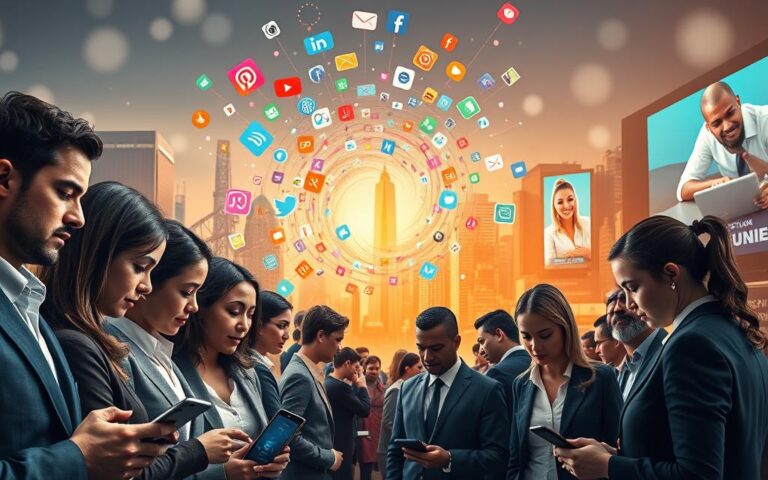
It’s surprising, but the average U.S. adult gets over 100 notifications daily. These come from apps like Apple iOS, Android, and social media. This constant digital input changes how we focus and feel.
This article dives into how notifications affect our attention, emotions, actions, and health. You’ll discover how they impact the brain’s reward systems and attention. We’ll also look at the good and bad sides of alerts and how to manage them.
We’ll answer key questions about notifications. What are they? How do they affect our minds? When are they helpful, and when are they not? We’ll also share tools to help you customize your settings, reduce overload, and find a balance between staying connected and taking care of yourself.
The tone is friendly and based on solid evidence. It’s for U.S. adults who want to stay connected without losing focus. If you’re curious about the impact of notifications and want to take control, keep reading.
Understanding Notifications and Their Purpose
Notifications play a big role in how we use devices and services every day. This section will explain what notifications are, how they reach us, and why they matter for safety, work, and habits.
Definition of Notifications
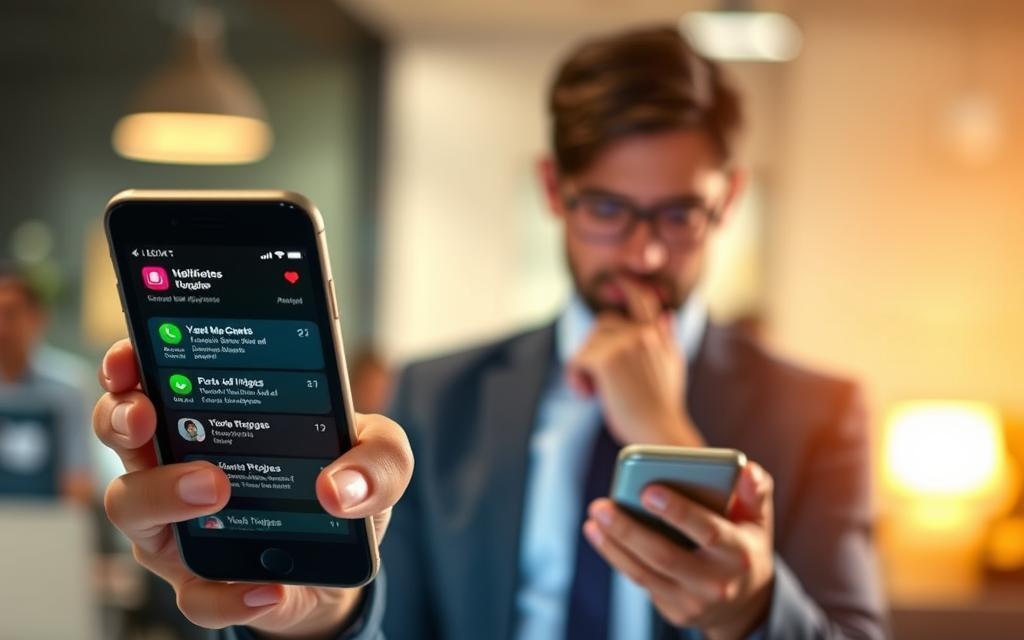
Notifications are messages from apps or systems that grab your attention. They include push notifications, badges, banners, sounds, emails, and SMS. You find them on iOS, Android, web, and services like Gmail and Slack.
How Notifications Work
Push notifications use servers to send messages. These messages go through gateways like Apple Push Notification Service (APNs) or Firebase Cloud Messaging (FCM). Devices then show these alerts based on app settings.
Local notifications are made by apps on the device. They can be set to trigger based on timers, location, or other events. The type of notification depends on its purpose. Some are silent, while others alert you with banners, sounds, or vibrations.
Developers can customize how notifications are presented. They can choose the sound, vibration, and priority to match the message’s intent.
Importance of Notifications in Daily Life
Notifications are useful in many ways. They help you stay on schedule with reminders for appointments and medication. They also improve security with messages from banks and two-factor authentication.
News and emergency alerts keep you informed during crises. Tools like Slack and Microsoft Teams help teams stay connected. Social messages and comments keep personal relationships strong.
But, too many notifications can be distracting. They can make us dependent and change how we make decisions.
| Type | Typical Platforms | Main Purpose | Common Delivery Style |
|---|---|---|---|
| Push Notifications | iOS, Android, Web | Real-time updates and prompts | Banners, alerts, sounds |
| Local Notifications | Mobile apps, desktop apps | Timed reminders and local triggers | Pop-ups, badge counts |
| Email & SMS | Gmail, Apple Mail, Carrier SMS | Longer-form alerts and confirmations | Inbox messages, text alerts |
| Silent/Background | APNs, FCM | Content refresh without user interrupt | No visible alert, data update |
| Security Alerts | Banking apps, Authenticator apps | Fraud notices, two-factor codes | High-priority alerts, often with sound |
Knowing how notifications affect us helps us and designers make better choices. It’s important to understand their impact and significance. This way, we can use them wisely and avoid distractions.
The Science Behind Notifications and the Brain
Notifications reach our brain through simple biology and learning rules. Small alerts can tap into deep reward systems and push our working memory to its limits. We explore the neural and cognitive mechanisms behind the impact of notifications on our daily lives.
Dopamine helps our brain predict rewards and reinforce actions. When alerts come unpredictably, our brain sees them as variable rewards. This makes us pay more attention and increases our excitement, similar to slot machines.
Research shows that smartphone alerts lead to short dopamine spikes and habit formation. These spikes make us check our phones more often. The influence of notifications grows when feedback is intermittent and uncertain.
Cognitive load and mental fatigue
Cognitive load is the limited capacity of our working memory. Frequent interruptions force us to switch tasks, which costs us time and accuracy. Each switch adds extra time to get back to the original task and lowers our accuracy.
Attentional residue makes part of our mind stuck on the previous task. This reduces our focus for new tasks, lowers our executive control, and increases mistakes. These effects explain why notifications can harm our concentration, learning, and creativity.
Stress physiology and chronic alert exposure
Repeated alerts can raise our sympathetic arousal and elevate cortisol levels for some. Nighttime intrusions disrupt our sleep cycles and increase daytime anxiety. Over time, this can harm our mood regulation and slow down our cognitive recovery.
Practical implications
These mechanisms show how notifications affect our behavior and performance. While short-term benefits like timely information are valuable, they come at a cost. They harm our sustained focus, creativity, and emotional balance. Understanding how neurochemistry and cognitive limits interact helps us see the broader impact of notifications on our work and well-being.
Positive Effects of Notifications
Notifications can be very helpful when they are focused and timely. They help people stay safe, meet their commitments, and keep teams in sync. Alerts that are thoughtful show the good side of notifications without making our daily lives too busy.
Keeping You Informed
News alerts from The New York Times and the Associated Press bring urgent news fast. Weather warnings and NOAA advisories help people prepare for severe storms. Amber Alerts and safety notifications spread important information quickly, keeping communities safe.
Updates like flight changes, calendar reminders, and package delivery notices make travel and errands easier. Caregivers use medication reminders to stay on schedule. Emergency responders use alerts to respond faster. These examples show how notifications are key for safety and smooth daily routines.
Enhancing Connectivity with Others
Instant messages on iMessage and WhatsApp keep families connected, no matter the distance. Teams use Slack and Microsoft Teams for push updates on urgent tasks. These quick messages help teams work better and faster, even when they’re not in the same place.
Social media and family location alerts make staying in touch easier. Caregivers, parents, and teams share updates through smart notifications. These examples show how notifications help strengthen relationships and improve work efficiency.
Notifications are most beneficial when they are relevant, timely, and easy to control. Too many unnecessary alerts can make things worse. Setting up notifications wisely keeps them useful without being too distracting.
Negative Effects of Notifications
Too many alerts change how we work and feel. They lead to broken focus, constant switching between tasks, and less time for deep work. This makes mistakes more common and projects take longer to finish.
Distraction and Loss of Focus
Alerts interrupt our flow and make us shift our focus. Studies from Microsoft and Carnegie Mellon show a drop in productivity after interruptions. They also find it takes longer to finish simple tasks.
Switching tasks uses up brain power. Students and workers say they read slower, learn less, and make more mistakes after many alerts. These effects make it hard to stay focused for deep study or creative work.
People with constant alerts make more mistakes at work and work longer hours. They feel the need to check their phone compulsively and experience phantom vibration syndrome. This keeps their attention split, even without real alerts.
Increased Anxiety and Stress Levels
Too many alerts make us feel like we’re always in a rush. This creates a state of constant alertness. Studies show it raises heart rate and cortisol levels.
Alerts at night mess up our sleep. Waking up to an alert makes us more alert and disrupts our sleep. Blue light from screens also makes it harder to fall asleep.
Often checking for authentication and security warnings can make us anxious about privacy and security. People with ADHD or anxiety disorders are more affected. This shows that some groups are hit harder by too many alerts.
| Negative Effect | Typical Signs | Real-World Consequences |
|---|---|---|
| Distraction | Frequent task switching, phantom checks | Lower productivity, more errors, longer completion times |
| Loss of Deep Work | Shortened focus windows, fragmented attention | Reduced creativity, poorer learning outcomes |
| Anxiety and Stress | Elevated heart rate, cortisol spikes, FOMO | Sleep disruption, chronic stress, decreased well-being |
| Behavioral Changes | Compulsive checking, phantom vibration, blurred boundaries | Work-life imbalance, privacy concerns, increased burnout risk |
| Unequal Impact | Stronger reactions in ADHD and anxiety | Widened performance gaps, greater distress for vulnerable people |
The Role of Smartphone Notifications
Smartphone alerts shape our daily routines in subtle ways. This brief explores common notification types, how often we get them, and their real-world effects. It also looks at fixes from Apple and Google and how design choices influence engagement.
Frequency and Types of Smartphone Notifications
Phone users get many alerts every day. These include:
- SMS and phone calls
- Push notifications from apps like Facebook, Instagram, Twitter, and news apps
- Email alerts from Gmail, Outlook, and work accounts
- Calendar reminders and meeting invites
- Banking and payment notifications
- System updates and app badge counters
Heavy users might see hundreds of cues daily. Some alerts are urgent, like emergency messages and direct calls. Others, like marketing and re-engagement prompts, are less important.
Consequences of Overuse
Too many alerts can harm our behavior. One common issue is battery drain, leading to shorter battery life.
Constant interruptions fragment our attention. Frequent alerts make it hard to focus and reduce deep work time. This results in shorter attention spans and more task-switching.
Notifications at night can disrupt sleep. They can also make us more dependent on our phones and less inclined to interact face-to-face.
Design choices, like in-app badges and push campaigns, aim to keep us engaged. These choices make alerts seem urgent, even when they’re not.
Apple and Google have introduced tools to help. Features like Focus modes, Notification summaries, Do Not Disturb, and App Timers allow users to control their alerts. Many apps also offer settings to customize notifications.
Without control, notifications can become a source of stress. Making small changes to settings and habits can help reduce their impact on our behavior and overall well-being.
Notifications and Productivity
Notifications greatly affect how we work. They do more than just annoy us. Small alerts can change how we focus, make decisions, and manage our day.
The Myth of Multitasking
What we call multitasking is really fast switching between tasks. Studies show this method is less efficient and increases mistakes. Each time we switch, our brain takes longer to get back to work, making our work less quality.
Notifications make us think we’re getting things done fast. A quick reply or a checked alert makes us feel productive. But, they actually break our focus and make tasks take longer.
Strategies for Improving Focus
Time blocking helps by setting aside deep-work periods. Mark these times on your calendar like you would meetings. Use Focus or Do Not Disturb modes to block out distractions during these times.
Batch notifications and email checks into specific times. Turn off non-essential alerts and use airplane mode for focused work. Tools like Freedom or RescueTime help limit distractions and show how notifications affect us.
At work, set clear rules for your team. Use Slack status indicators and schedule “no-meeting” times. Only allow urgent notifications for critical messages and teach your team to label messages as urgent only when they really are.
Build habits with a cue-routine-reward system to stop compulsive checking. Reward yourself after focused sessions to encourage new habits. Over time, notifications will help us stay focused and productive.
The Impact on Relationships
Notifications change how we connect with others. A small alert can interrupt a moment or pause a story. This can shift the mood of our talks and affect trust over time.
Notifications in Personal Interactions
When phones buzz at the table, it can make us feel left out. Studies show phones can lower how happy we are in our relationships. They make our conversations shallower and our empathy seem less.
Alerts during dates or family meals can make us feel less connected. People might feel less intimate and guarded. If someone doesn’t reply right away, it can be seen as a sign of not caring.
Managing Relationships Amidst Digital Distractions
Make rules together. Agree on times when phones should be off, like during meals or at bedtime. Use Do Not Disturb mode, but make exceptions for emergencies.
Talk about how long it takes to reply. Tell work you need time to answer emails. This helps keep work and personal life separate.
Parents should show good phone habits. Turn off alerts when with kids. Use controls to limit their screen time and choose which notifications they get.
Use a checklist to talk about expectations. Choose times to focus on listening. Set a phone basket for meals and name one emergency contact. These steps help reduce distractions and improve our daily interactions.
| Context | Common Issue | Practical Strategy |
|---|---|---|
| Romantic relationships | Perceived lack of empathy | Agree on phone-free date nights; use Do Not Disturb with partner exceptions |
| Family time | Reduced conversational quality | Establish device baskets during meals; set clear response windows |
| Parenting | Modeling poor device habits | Limit children’s alerts; use screen-time controls and lead by example |
| Work relationships | Expectation of constant availability | Communicate office hours; set email and message boundaries |
Customizing Your Notification Settings
Notifications play a big role in our daily lives. Knowing what alerts are important helps us focus better. By adjusting settings, we can cut down on distractions and still get the updates we need.
First, take a look at your current alerts. Check your system and app settings to see who’s sending you messages. This helps you see what’s important and what can wait.
Tools for Filtering Alerts
Today’s devices have great tools for managing alerts. On an iPhone, use Focus modes and Notification Summary to organize less important messages. Android has Do Not Disturb and Notification Channels to control alerts by type and app.
Apps also let you customize notifications. You can mute conversations, mark messages as priority, or turn off alerts. Email clients have filters and VIP lists to make sure important messages get to you first. Tools like IFTTT and Zapier can send less important messages to a log or silence them.
Android’s notification channels let you fine-tune alerts. You can turn off ads while keeping important messages coming. This way, you only hear what’s really important.
Personalizing Notifications for Well-Being
Start by turning off unnecessary notifications. Make sure you get alerts from family, banks, and your calendar first. Set times to get updates from other apps.
Use quiet hours and bedtime modes to avoid interruptions at night. Choose vibration or badge alerts for less urgent apps. Turning off read receipts in messaging apps can also help reduce stress.
Customizing notifications is important for accessibility and mental health. Use larger text or voice alerts for easier reading. For anxiety, limit social network notifications and turn off sounds in group chats.
Apple has a guide on how to manage notifications on iPhone. Check it out for tips on using Focus and per-app controls: stop, mute, and change notifications.
By personalizing notifications, you can reduce stress and feel more in control. When you manage your alerts well, you focus better and feel less overwhelmed.
| Control Level | Example Tool | What It Does |
|---|---|---|
| System | iOS Focus / Android Do Not Disturb | Schedules quiet times and limits interruptions from apps and calls |
| Per-App | Mute, Priority, Show as Silent | Silences or downgrades alerts for specific apps without disabling data |
| Channel/Type | Android Notification Channels | Separates alerts by category so you can allow critical types only |
| Filters and VIP lists | Routes important messages to inbox priority or folders | |
| Automation | IFTTT / Zapier | Redirects or silences low-value alerts based on rules |
Tips for Reducing Notification Overload
Constant pings shape our daily lives. Small, practical changes can reduce their impact on our attention and mood. Use simple rules that fit into our work, family, and rest times.
Set clear device boundaries. Make times when you don’t check your device in the morning and evening. Make your bedroom and dining table device-free zones. Turn your phone to silent or only show important messages during work and family time. Change your screen to grayscale to make it less tempting.
Try short detoxes and ongoing limits. A 24-hour break from social media can reset your habits and show how notifications affect stress. Add daily and weekend tech-free times to keep the good going. Studies show short breaks can lower stress and improve mood.
Build mindful checking habits. Pause before checking your phone. Set a goal for each time you use it, then close it when done. Use a breathing or grounding technique to stop compulsive checking. These steps help you stay focused and emotionally balanced.
Replace urges with healthy cues. Swap a compulsive check with a stretch, a glass of water, or a quick walk. Use a simple app or journal to track your progress. Celebrate small victories in focus and sleep to keep changing.
Use practical tools. Apply do-not-disturb schedules, priority contacts, and app timers. Use silent badges instead of sounds for less important alerts. These steps help limit notifications without missing important messages.
Long-term benefits are clear. Less anxiety, better focus, stronger relationships, and more productivity come from fewer notifications. Slow changes make these benefits last and keep notifications from ruining our daily lives.
Looking Ahead: The Future of Notifications
Notifications will evolve as devices and services aim to be helpful without being too much. The future holds smarter, context-aware systems that know when to alert you. This change aims to lessen distractions while keeping alerts important for safety and coordination.
Trends in Notification Technology
AI will help decide when and what alerts to send, based on your schedule, location, and habits. You’ll see summaries of non-urgent messages and can act on them quickly without opening apps. But, there are privacy and ethical concerns with this technology, so keeping users informed and consenting is key.
Balancing Connectivity and Mental Health
Companies like Apple and Google are working on designs that help you focus and stay mentally healthy. There might be laws to curb the negative effects of too many notifications. Studies will look into how notifications affect sleep, anxiety, and brain development to guide better practices.
Users can look forward to more control over their notifications. With new features and simple habits, you can manage distractions and still get the alerts that matter. Stay updated on new tech and use tools like quiet hours to keep your well-being in check.